Hosting · Published on October 26, 2026
Secure hosting for businesses: what it should provide and how to choose
ViceSite · Vicedomini Softworks srl
What makes business hosting secure: provider safeguards, website administrator responsibilities, backups, GDPR, NIS2 and 10 questions to ask before choosing.
Secure hosting is a service that protects the server running your website with multiple independent safeguards, keeps software up to date, encrypts connections, stores backups elsewhere and can restore them quickly. But choosing the right provider is not enough: some security responsibilities remain with whoever manages the website—you or your agency. This guide explains what to expect from your hosting provider, what you need to handle, which obligations apply to Italian businesses and what to ask before signing up.
At a glance
- Hosting security is measured by three things: data confidentiality, website integrity and service availability.
- The provider protects the infrastructure; CMS updates, plugins, passwords and website users remain the responsibility of the site administrator.
- A backup is only useful if it is automatic, stored off-server and someone has tested restoring it.
- GDPR and, for certain sectors, NIS2 requirements also matter to businesses: ask your provider how they help you comply.
- Your domain, hosting access and DNS are business assets: you should retain control of the credentials.
Contents
- What “secure hosting” really means
- Who protects what: your hosting and your website
- The safeguards secure hosting should include
- Backups: the difference between an incident and a disaster
- Privacy and legal obligations for Italian businesses
- Questions to ask before choosing
- Our view: clarity is part of security too
- Hosting, domains and websites with ViceSite
- Frequently asked questions
- Sources
What “secure hosting” really means
Many plans describe themselves as “secure” because they include an SSL certificate. That is a basic requirement, not a strategy. Secure hosting combines measures designed to reduce risk, not eliminate it: Italy’s National Cybersecurity Agency describes security design as a holistic, integrated effort, aimed at bringing cyber risk within an accepted level. The same reasoning applies to your business server.
In practice, good hosting should help you limit these risks:
- Intrusions: someone gains access to the control panel, database or website admin area and inserts malicious code, spam pages or redirects.
- Data loss: a hardware failure, human error or ransomware deletes files, orders or contacts.
- Outages: your website goes offline because of an attack that overwhelms the server or a technical problem, and customers cannot find you.
- Domain impersonation: emails are sent in your name by someone else because your domain is not configured correctly.
The French authority that assists victims of cyberattacks recommends defence in depth: multiple independent safeguards in both the server’s hardware and software architecture and the hosting infrastructure. The reason is simple: if one barrier fails, the next stops the attack. It is the most useful criterion for assessing any hosting offer.
Who protects what: your hosting and your website
The most costly misconception we encounter is the belief that paying for hosting means website security is “included”. It does not. The official WordPress documentation makes this clear: hosts are generally responsible for the infrastructure, not the installed application, whose security is the website owner’s responsibility.
| Area | Usually the provider’s responsibility | Usually the website administrator’s responsibility |
|---|---|---|
| Server and operating system | Updates, configuration, isolation between customers | No action needed |
| Network | Firewall, traffic filtering, monitoring | Report unusual activity |
| Server software (PHP, database, web server) | Stable, recent versions | Select a compatible version in the control panel |
| CMS, theme and plugins | Any available update tools | Keep them updated and remove anything unnecessary |
| Website users and passwords | Login attempt limits | Strong passwords, two-factor authentication, appropriate roles |
| Backups | Automatic backups and restore procedures | Check that backups exist and test a restore |
Both sides work together. The WordPress Hosting Handbook recommends strong passwords to counter automated brute-force attempts while also advising hosts to limit login attempts at network or server level. A weak password on a well-protected server is still a weak point; so is a well-maintained website on a neglected server.
If you have a WordPress website, the official hardening guide notes that outdated versions no longer receive security updates and that a single compromised administrator account can be enough to install malicious scripts. That is why updates, strong passwords and two-step authentication are not optional.
The safeguards secure hosting should include
You do not need to become a technical expert to assess an offer. You need to know what to ask. Together, these are the elements that make a difference.
Up-to-date server software and isolated customer accounts
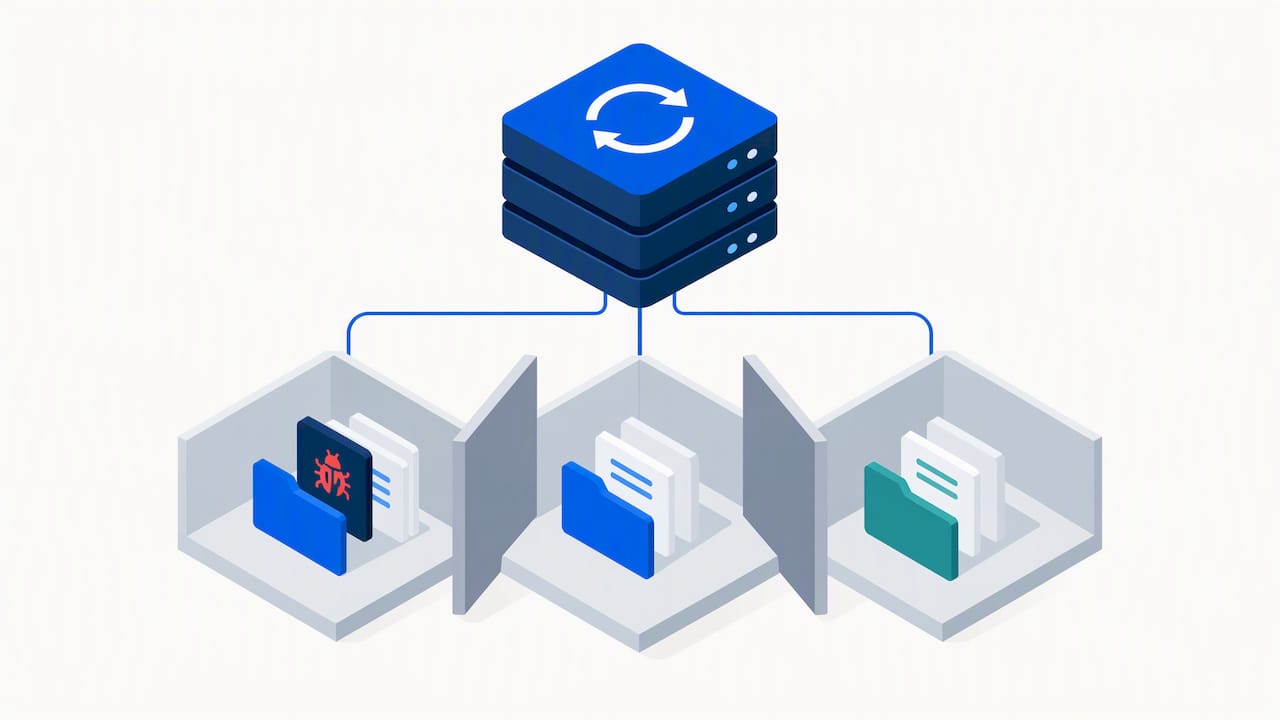
The provider should use stable, recent versions of the operating system, web server, PHP and database, and be willing to discuss them. WordPress documentation specifically identifies this as a selection criterion: a reputable provider discusses its security features and procedures rather than hiding them. With shared hosting, also ask how different customers’ accounts are separated: a compromised website next to yours must not be able to access your files.
Encrypted connections
Your website should have an active SSL/TLS certificate, but encryption also matters for management access: the control panel, file transfers (SFTP instead of old, unencrypted FTP) and email. The AgID guidelines on ICT procurement security, designed for public-sector purchasing but also very useful for businesses, list encrypted protocols and authentication among the security requirements to request from providers.
Perimeter defences and monitoring
Firewalls, filters against unusual traffic, blocking repeated login attempts and continuous monitoring. The same AgID guidelines list perimeter defences, incident management, audits and regular updates to security measures: a useful framework for a private-sector contract too.
Incident management
What happens if your website is breached? Who notifies you, how quickly, who takes action and what does it cost? Secure hosting provides written answers to these questions, not vague promises.
Properly configured email and DNS
If you use email on your domain, check that SPF, DKIM and DMARC records are configured. Without these records, your emails risk ending up in spam, and anyone can attempt to send messages that appear to come from your business.
Backups: the difference between an incident and a disaster
Every website runs into a problem sooner or later. Backups determine whether that problem lasts an hour or a week. Common best practices for an SME include:
- Automatic daily backups, without relying on someone remembering to run them.
- Storage on a separate system from the website’s server: if the server fails or is encrypted by ransomware, a backup on the same drive goes with it.
- At least 30 days of retention, because an infection can remain hidden for weeks and you need to be able to return to a clean copy.
- A proper restore test in a test environment, at least every few months and after any major change to the website.
There is an additional precaution for point 2. An analysis published on Cybersecurity360 notes that entrusting backups and infrastructure to a single provider can expose you to data loss, and that it is worth storing copies in different locations. For a business website, a periodic copy downloaded by you or your agency is inexpensive insurance.
Privacy and legal obligations for Italian businesses
If your website collects personal data (through a contact form, customer area or online shop), hosting security is more than a technical choice.
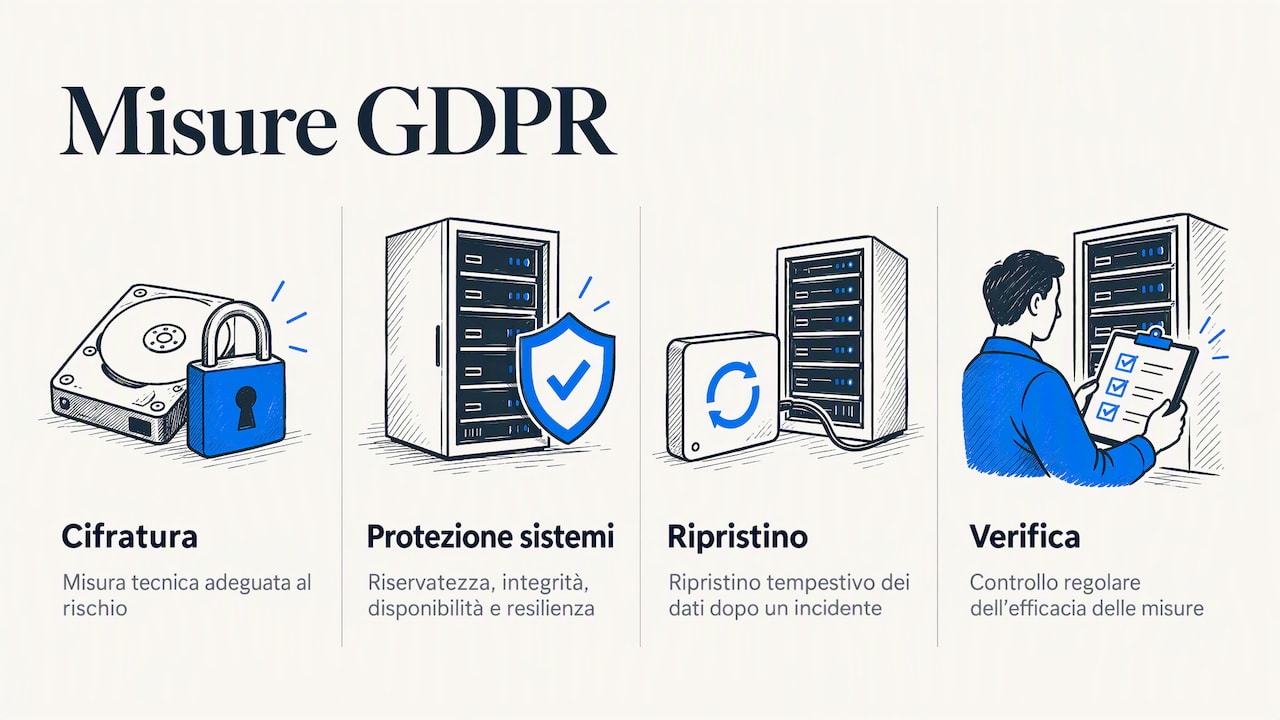
GDPR. Article 32 of EU Regulation 2016/679 requires both the controller and the processor to implement technical and organisational measures appropriate to the risk. Examples include encryption, the ability to ensure the confidentiality, integrity, availability and resilience of systems, the ability to restore data promptly after an incident, and regular testing of the measures’ effectiveness. A hosting provider that processes data on your behalf typically acts as a processor: ask for the relationship to be governed in writing and consult your privacy adviser if anything is unclear.
NIS2. Legislative Decree 138/2024 transposed the NIS2 Directive into Italian law. It does not cover every business: it applies to entities that fall within the sectors and size criteria specified in the decree. As ACN explains, those covered must adopt measures for risk analysis, incident management and business continuity, including backups and disaster recovery. If you are unsure whether your business is affected, ask your accountant or a lawyer specialising in cybersecurity before choosing providers.
Agency contracts. If an agency manages your website and hosting, read the liability clauses carefully. According to the same Cybersecurity360 analysis, in Italy hold-harmless clauses between web agencies and clients are valid only if specifically signed or referenced in a separate section.
Questions to ask before choosing
Use this checklist when comparing two offers. A reliable provider will answer every question clearly and directly.
- Which PHP and database versions do you use, and how often do you update them?
- How are different customers’ accounts isolated on the same server?
- Is the SSL certificate included, and does it renew automatically?
- Can I restrict file access to encrypted protocols such as SFTP?
- Do you limit repeated login attempts and block unusual traffic?
- How often do you run backups, where do you store them and how many days do you keep them?
- Can I restore a backup myself, or do I need to request it? Is there a charge?
- If my website is breached, who notifies me and what do you do?
- Who do I speak to when I have a problem, in which language and with what response times?
- Will the domain, hosting and DNS accounts remain in my name? Can I transfer the domain whenever I want?
The last question is the one most often overlooked. Your domain, hosting and DNS are business assets, not the provider’s: keep the login details yourself, even if you entrust day-to-day management to someone else. And when a working relationship ends, revoke access for anyone who no longer works with you.
Our view: clarity is part of security too
In our work with small businesses, professionals and startups, we often see the same pattern. The problem rarely starts with a sophisticated attack. It starts with a website installed years ago and never updated, a password shared by three team members, or a domain registered in the name of a former agency that no longer answers the phone. These are organisational risks before they are technical ones.
That is why we believe secure hosting for an SME should, above all, be easy to understand. If you do not understand what you are buying, you cannot know what remains unprotected. Explaining in plain language what the service does and what you need to handle is already a security measure.
Who answers your call matters too. When your website goes down on a Friday evening, a ticket waiting in a queue or a call centre reading from a script is not enough: you need someone who understands the problem and speaks your language. That is also why we do not tie your domain to our services: a domain you can take wherever you want is a domain that truly remains yours.
— Sofia
Hosting, domains and websites with ViceSite
If you want secure hosting without having to become a system administrator, ViceSite brings domains, hosting and custom websites together in one place, with email accounts for your business. Prices are clear and include VAT, with no hidden costs, and your domain comes with no lock-in.
There are three steps: choose your service, pay securely and get instant activation. If you are unsure which solution is right for you, our Italian team is here to help—real people, without the technical jargon. Explore domains, hosting and custom websites and choose where to start.
Frequently asked questions
Is an SSL certificate enough to make a website secure?
No. The certificate encrypts the connection between the visitor and the website, but it does not stop someone from logging in with a stolen password or exploiting an outdated plugin. You also need updates, access controls, server safeguards and tested backups.
Is shared hosting or a dedicated server better for a business?
For most small-business brochure websites, well-managed shared hosting is enough, provided it isolates accounts and includes backups and monitoring. A dedicated server offers more control but requires the expertise to manage it securely. For online shops with heavy traffic or sensitive data, it is worth considering solutions with dedicated resources.
How can I find out where my website is hosted?
The quickest way is to check the invoice or customer account of the provider you pay each year. Alternatively, look up the domain’s DNS servers using a WHOIS or DNS lookup service: the provider’s name often appears there. If you cannot find anything, ask the agency that built the website and have them hand over the login details.
How often should I check my backups?
At a minimum, regularly check that automatic backups exist and are recent—for example, once a month. A proper restore test in a test environment should be carried out periodically and after every major change to the website. A backup that has never been restored is a hope, not a guarantee.
Sources
- ACN, Security Architecture, Engineering and Operations
- Cybermalveillance.gouv.fr, How to secure your website
- WordPress.org, Hardening WordPress (Italian)
- WordPress Developer, Hardening
- WordPress Hosting Handbook, Security
- AgID, ICT procurement security guidelines, Appendix A
- Cybersecurity360, Data backups: operational strategies and legal responsibilities
- Altalex, Article 32 GDPR, Security of processing
- LCA Studio Legale, NIS2 Directive and Legislative Decree 138/2024
- ACN, Basic obligations for NIS entities
Ready to take your business online?
Search your domain: in two minutes you'll know if it's free and what it costs, VAT included.
Find your domain