
Hosting · Published on October 28, 2026
Domain email: how to get a professional email address
ViceSite · Vicedomini Softworks srl
How to get email on your own domain: what you need, which DNS records to configure, costs to consider and steps to set up a professional address for your business.

Email on your own domain gives you an address like info@tuaazienda.it instead of a free account with the provider’s name after the @ symbol. You need three things to get started: a domain name registered in your name, an email service to manage your mailboxes and a few DNS records that tell the rest of the Internet where to deliver your messages. Here, we explain what each step involves, which annual costs to budget for, how to choose between email included with hosting and a separate email service, and the mistakes that send your emails to spam.
At a glance
- The email domain is the part after the “@”: in mario@studiorossi.it, it is “studiorossi.it”. If you own the domain, the address stays yours even when you switch providers.
- You need a domain, an email service (often included with hosting) and configured DNS records: MX to receive messages, and SPF, DKIM and DMARC to identify you as a trusted sender.
- Before registering, check that the name is available with a WHOIS search for the full name, including the extension but without “www”.
- Costs are recurring: the annual domain renewal plus the email subscription, which may be charged per mailbox or per package. Always check the renewal price, not just the first-year price.
- For a small business that needs just a few mailboxes, email included with hosting is often the easiest option to manage.
Contents
- What is the domain in an email address?
- Why an address on your own domain is worth the cost
- What you need for email on your own domain
- How to set up email on your own domain, step by step
- How much does custom domain email cost?
- Business email bundled with hosting: what to expect
- The mistakes we see most often
- Our perspective
- Domains, hosting and email mailboxes with ViceSite
- Frequently asked questions
- Sources
What is the domain in an email address?
Every email address has two parts separated by the @ symbol. On the left is the local part, which identifies the mailbox: “mario”, “info”, “amministrazione”. On the right is the domain, which identifies who manages the email: in a free address, it is the provider’s name; in a professional address, it is your business name.
When someone emails you, their mail server does not know where your mailbox is. It reads the domain after the “@”, queries DNS (the system that translates names into network addresses) and asks: which server receives email for studiorossi.it? The answer is stored in a record called MX. That is why the domain is more than a cosmetic detail: it is the postal address of your email, and whoever controls the domain controls where the messages go.
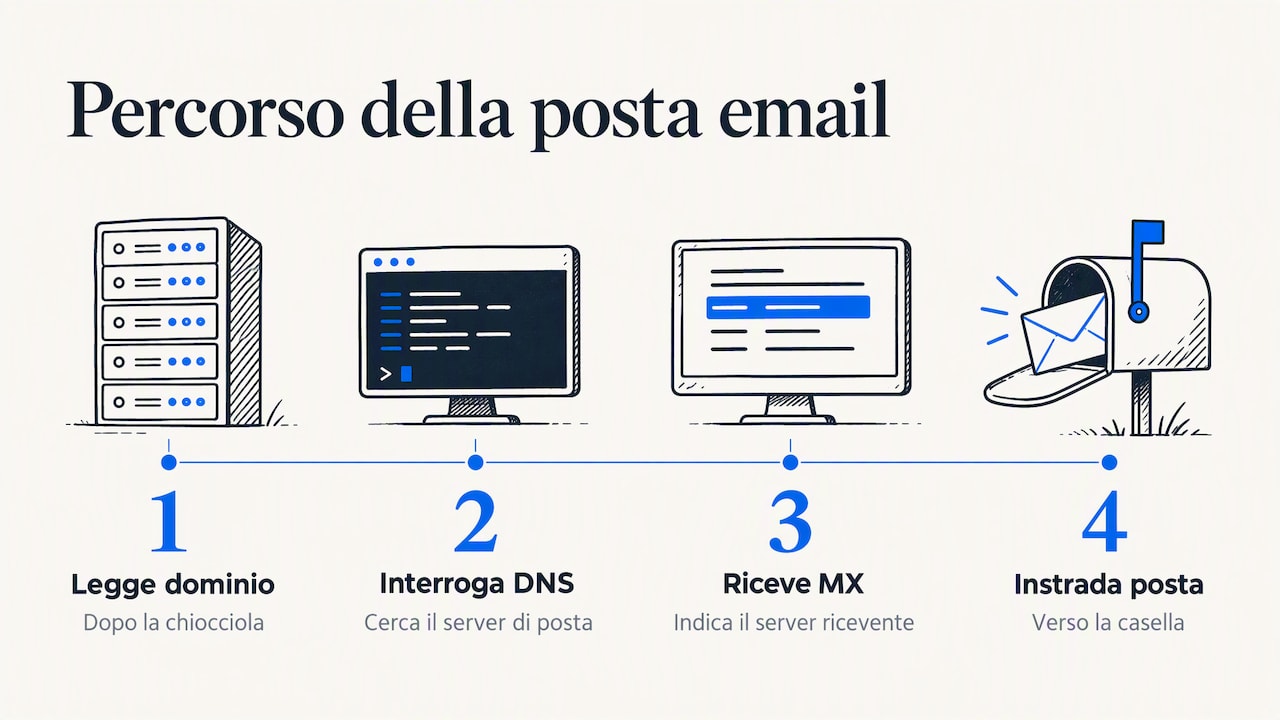
This also answers a common question: to find the domain of an email address, simply look at everything after the @ symbol. If a supplier writes to you from ordini@fornitore.it, the domain is fornitore.it, and it usually matches their website address.
Why an address on your own domain is worth the cost
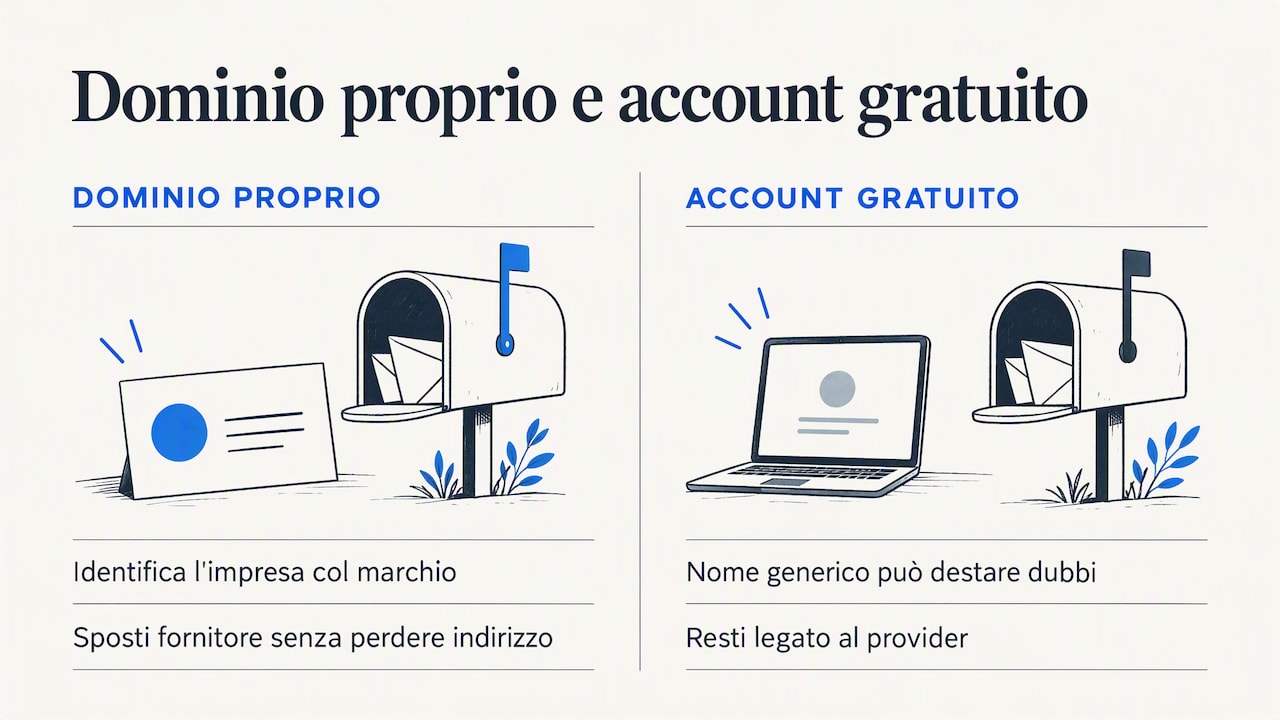
The first reason is credibility. A quote sent from preventivi@impresaedile.it suggests a well-organised business; the same quote sent from a free account with a generic name can raise doubts about whether there is a real business behind it. Registro .it, the organisation that manages Italian domains, points out that an address linked to your own domain helps identify the business with its brand and indicate the role or person the customer is talking to.
The second reason is organisation. With your own domain, you can create role-based mailboxes (info@, fatture@, assistenza@) and individual mailboxes for team members. When someone leaves the company, the role-based mailbox stays, and customers can keep writing to the same address.
The third reason is the most overlooked: portability. Registro .it also notes that, with email on a domain you own, you can move the service to another provider without losing your address, whereas a free account ties you to the provider hosting it. In practice, the address you print on business cards, vans and invoices is an investment that does not depend on someone else’s business decisions.
Then there is brand consistency: using the same name for your website, email and social profiles makes your business more memorable. We discuss this in more detail in our guide to online branding for small businesses.
What you need for email on your own domain
Before you start, it helps to understand the three pieces of the puzzle. A single provider often offers them together, but they are separate services. Understanding the difference helps you avoid unpleasant surprises when it is time to renew or switch providers.
The domain name
This is the name you register, such as pasticceriabianchi.it. It is renewed every year and must be registered in your name or your company’s name, not that of the agency or consultant who registered it on your behalf. Check this even if you have had the domain for years: it is the most common reason for addresses being held “hostage” by a former provider.
The email service
This is where your mailboxes live: it receives, stores and sends messages. It may be included in your website hosting package or provided as a separate email service. The practical differences involve storage per mailbox, the number of mailboxes, spam filters, webmail and shared calendars.
DNS records
These are the public instructions associated with your domain. Four are particularly important for email:
| Record | What it does | What happens if it is missing or incorrect |
|---|---|---|
| MX | Specifies which server receives email for the domain | Emails do not arrive or go to the wrong server |
| SPF | Lists the servers authorised to send email for the domain | Your messages risk ending up in spam |
| DKIM | Adds a digital signature proving that the message has not been altered | Less trust from receiving servers and more rejected messages |
| DMARC | Tells recipients what to do with messages that fail SPF and DKIM checks | It is easier for someone to impersonate you |
If your domain and email are with the same provider, these records are usually set up automatically. If you keep them separate, you or the person helping you will need to copy them into your domain’s DNS control panel.
How to set up email on your own domain, step by step
- Choose the name. Keep it short, easy to say over the phone and free of hyphens or confusing double letters. Try saying it out loud: if you need to spell it out every time, look for an alternative. For a business operating in Italy, the .it extension is the most natural choice.
- Check availability. For .it domains, the Registry recommends checking with a WHOIS search using the full name, including “.it” but without “www”: the result immediately tells you whether the name is available or already registered.
- Register the domain in your name. Enter your company, or yourself as a professional, as the registrant, using accurate details. This establishes ownership of your address.
- Activate the email service. Choose how many mailboxes you need and how much storage. Two or three addresses are often enough to start: a general one (info@), a personal one and one for administration.
- Configure the DNS records. MX, SPF, DKIM and DMARC, as explained above. DNS changes can take a few hours to propagate: do not worry if email does not work within the first fifteen minutes.
- Connect your mailboxes to your devices. You can use webmail in your browser or set up the email app on your computer and smartphone using the incoming (IMAP) and outgoing (SMTP) server details supplied by the service. Choose IMAP: it keeps messages synchronised across all your devices.
- Run a full test. Send a message from the new mailbox to an external address and reply to it. Check that it does not land in spam and that the reply arrives. Then update your signature, website, business cards and profiles.
If you are moving from a free address, do not close it straight away: set up forwarding or an automatic reply announcing the new address for a few months, until customers and suppliers have updated their contacts.
How much does custom domain email cost?
There is no single price, because you are buying two different things that renew independently. Here are the costs to budget for:
- Domain registration and renewal: an annual cost. Check the renewal price, which some providers set much higher than the first-year promotion.
- Email service: it may be included with hosting, sold as a package with a set number of mailboxes or charged per mailbox. With ten team members, the per-mailbox fee is multiplied by ten.
- Additional storage: if you often attach large files, mailboxes fill up quickly. Check how much storage upgrades cost.
- VAT: some price lists include it, while others do not. For a service you renew every year, comparing VAT-inclusive and VAT-exclusive prices gives a misleading estimate.
- Support and migration: moving old emails from a free account or another provider may be free, chargeable or left for you to handle.
The three options compared
| Solution | Who it suits | Strengths | Limitations to consider |
|---|---|---|---|
| Email included with hosting | Small businesses, professionals and startups with a few mailboxes | One provider for your website, domain and email; DNS configured together; one renewal date | Storage and mailbox numbers determined by the package |
| Productivity suites from major international providers | Companies that use shared documents, video calls and calendars on a large scale | Many integrated collaboration tools | A fee for each user, support often in English or through tickets, DNS configuration left to you |
| Free plans with your own domain | Anyone testing a project with very few users | No email subscription fee | Limited features, storage and support; free plan terms can change |
For most small businesses, the right question is not “which service is the most powerful?” but “how many mailboxes do I need, and who will help me when something goes wrong?”
Business email bundled with hosting: what to expect
When email is included in your hosting package, your website and mailboxes share the same domain and provider. A good service should offer at least:
- a set number of mailboxes on your domain, with a defined amount of storage for each;
- access through webmail and email apps using IMAP and SMTP;
- spam and antivirus filters for incoming messages;
- MX, SPF and DKIM records set up automatically, or clear instructions for doing so;
- aliases and forwarding, such as vendite@ forwarding to two people;
- automatic replies for holidays and closures.
The main advantage is simplicity: one invoice, one renewal date and one point of contact. The trade-off is that email quality depends on hosting quality: secure, up-to-date servers with backups. We have written a dedicated guide to secure hosting for businesses explaining what you should expect from a provider.
The mistakes we see most often
- A domain registered to someone else. The agency that built the website years ago registered it in its own name. When the relationship ends, getting it back becomes a negotiation.
- Forgetting to renew. An expired domain takes both your website and email offline. Set up automatic renewal and a calendar reminder.
- Duplicate or incomplete SPF records. This happens when you add a newsletter service or business management software that sends invoices: those servers also need to be authorised, but within a single SPF record.
- One mailbox for everything. Using only info@ for orders, invoices and complaints makes delegation impossible. Separate mailboxes by role from the start.
- Weak passwords. A compromised mailbox sends spam in your name and damages your domain’s reputation. Use long, different passwords for each mailbox.
- Closing the old address straight away. Keep it active with forwarding until customers have added the new one to their contacts.
Our perspective
Every week, we speak to business owners who simply want a professional address to put on quotes and invoices, only to face acronyms like MX and DKIM, prices excluding VAT and first-year rates that double at renewal. We believe email on your own domain should not be a technical project: it should work from day one, with someone who answers in Italian when a message does not arrive.
That is why we offer two pieces of advice before you choose any product. First: make sure the domain is registered in your name and that you can take it elsewhere whenever you want, because the freedom to change providers is the real value of an address on your own domain. Second: choose based on the number of mailboxes you actually need and the support you will receive, not the longest feature list. A small business with five people rarely needs a suite designed for a multinational; it needs reliable mailboxes, properly configured DNS and a real person to call.
— Sofia
Domains, hosting and email mailboxes with ViceSite
With ViceSite, you can register your domain, activate hosting and manage your business email mailboxes in one place, with clear, VAT-inclusive pricing and no domain lock-in: it stays yours. There are three steps: choose your service, pay securely and get instant activation.
If you also want a custom website, we will build it on the same domain as your email. And if something goes wrong, our Italian team is there to answer, without call centres or frustrating ticket queues. Choose your domain and hosting on ViceSite.
Frequently asked questions
Can I set up email on my own domain without a website?
Yes. The domain and email work even without a published website: the MX records simply need to point to the email service. Many businesses start this way and add a website later on the same domain.
Will I lose my email address if I switch providers?
No, as long as the domain is registered in your name. You can transfer the domain or simply update the DNS records to point to the new email service, and the address stays exactly the same. Before switching, export or migrate your old messages, as they will not move automatically.
How many mailboxes does a small business need?
You will usually start with a general mailbox (info@), one for administration and an individual mailbox for each person who emails customers. Aliases and forwarding let you add role-based addresses without paying for extra mailboxes.
Why are emails from my new domain ending up in spam?
In most cases, SPF, DKIM or DMARC records are missing or incorrect, or another service that sends on your behalf (a newsletter platform or business management software) is not authorised in the SPF record. Ask your provider to check your domain’s DNS configuration.
Can I use an already registered domain for email?
Yes. If you already own the domain, you simply need to activate an email service and update the DNS records. First, check who the registrant is and where DNS is managed, especially if a former provider registered it.
Sources
- Registro .it: why have an email address linked to your own domain
- Registro .it: how to check whether a domain name is already registered
Recommended reading
Ready to take your business online?
Search your domain: in two minutes you'll know if it's free and what it costs, VAT included.
Find your domain