Websites · Published on November 12, 2026
Website hacked: how to spot it and what to do right away
ViceSite · Vicedomini Softworks srl
Website hacked? Learn the warning signs, how to check with Google's tools, what to do in the first few hours, your GDPR obligations and how to prevent further attacks.
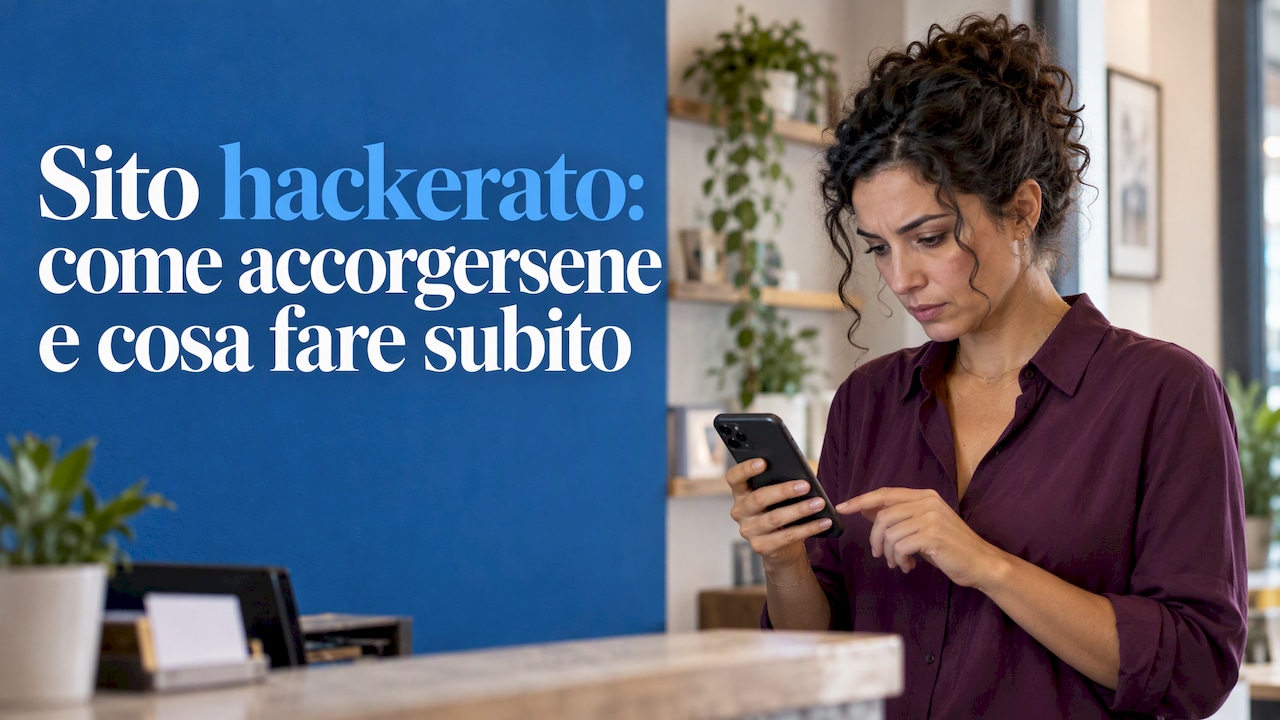
If you suspect your website has been hacked, start here: check the warning signs with Google's free tools, change all your passwords immediately, save a copy of the site as it is and contact your hosting provider. Then restore a clean backup, fix the vulnerability that let the attacker in and ask Google to remove the warnings. For a small business, how quickly you get back online depends above all on one thing: having people on the other end of the phone who know your site and answer in Italian, without leaving you waiting on a support ticket. This guide walks you through each step, written for people who run a business, not a server.
At a glance
- Typical warning signs include redirects to unrelated websites (often only visible on smartphones or from Google results), administrator accounts you don't recognise, spam pages and security warnings in Google Search.
- To check your site, use Google Search Console (the Security Issues report) and the Google Safe Browsing status page: both are free and require no server access.
- In the first few hours, change your passwords, save a copy of the compromised site, contact your hosting provider and don't delete anything blindly.
- If personal data is involved (customers, subscribers, orders), the GDPR requires notification to Italy's data protection authority within 72 hours, unless a risk to individuals is unlikely.
- To prevent it happening again, you need consistent updates, regular backups, strong passwords and secure hosting with support you can actually reach.
Contents
- Signs your website has been compromised
- How to check: Google's free tools
- What to do in the first few hours
- Cleaning and restoring your website
- If the attack affected personal data: obligations in Italy
- How to prevent it happening again
- A secure website, with support in Italian
- Our perspective
- Frequently asked questions
- Sources
Signs your website has been compromised
An attack rarely announces itself with a black page and a skull. More often, it stays quiet, because the attacker wants to use your site for as long as possible: to send visitors to other websites, publish spam or steal data. Here's what should raise your suspicions.
Strange redirects. You click on your site in Google and end up at an online pharmacy, an online casino or a website in another language. Often, the redirect only happens in certain circumstances: on a mobile phone, or only when you arrive from search results. That's why the Google Search Central guide to hacked websites recommends also opening the site in a mobile browser in incognito mode: if you visit by typing the address on your office computer, you might never notice anything.
Content you didn't write. New pages full of meaningless keywords, hidden links in the footer, or Japanese or Chinese text appearing when you search for your site's name on Google. This is known as SEO spam: the attacker uses your domain's reputation to boost their own sites' rankings.
Different content for different people. A common technique is cloaking, which means showing one version of a page to search engines and another to visitors. As web.dev explains in its guide to spotting a hacked website, spam can be visible to search engines but invisible to you.
Logins and users you don't recognise. A new administrator in your site's dashboard, an owner added in Search Console by no one on your team, or passwords that suddenly stop working.
Warnings in Google Search or the browser. Messages such as “This site may be hacked” beneath your search result, or a red screen when someone tries to open your site.
A sudden drop in traffic or enquiries. If enquiries through your form suddenly stop, or Google stops showing your site for searches where you ranked well, a security warning scaring visitors away could be the reason.
Just one of these signs is enough to start checking. Don't wait until you have three.
How to check: Google's free tools
You don't need technical skills for an initial check. Two Google tools are all you need.
Google Search Console
Search Console is Google's free service for telling website owners how it sees their pages. Once you have verified ownership of your site, open the Security Issues report: according to web.dev's guide to malware infections, it provides examples of URLs where Google has detected the problem. It's the most reliable starting point because it tells you what Google sees, which is what your potential customers see.
Also check the users and permissions section: an owner you don't recognise is a serious warning sign and should be removed immediately after you change your passwords.
Your site's status on Google Safe Browsing
Safe Browsing is Google's system for warning browsers about dangerous websites. Its status page lets you check what is publicly shown about your domain. The warnings have different meanings, as explained in Google's #NoHacked documentation:
| Warning visitors see | What it means |
|---|---|
| “Deceptive site ahead” | Possible phishing: pages impersonating banks or services to steal login details |
| “The site ahead contains harmful programs” | The site distributes unwanted software |
| “The site contains malware” | Google has detected the distribution of malware, meaning malicious software |
| “This site may be hacked” (in search results) | Google has detected content or pages added by third parties |
What these checks don't see
External tools look at your site as a visitor would. They're great for finding a visible problem, but they don't read the files on your server or your database. A “backdoor”, a hidden entry point an attacker leaves behind to regain access, can remain invisible for weeks. That's why a clean result in Search Console doesn't settle the matter if you have other suspicions: you need an analysis of your files and access logs, the records of who visited or modified the site. This work happens on the server, alongside your hosting provider.
What to do in the first few hours
Once you have confirmation, or a strong suspicion, the order of your actions matters. Here's the sequence.
-
Change all your passwords. Your website dashboard, hosting account, FTP access, database, email accounts linked to your domain and Search Console. Use new, long passwords that are different for each service, and enable two-step verification wherever possible. A common mistake is changing them on a computer that is itself infected: if you're unsure, use another device.
-
Save a copy of the compromised site. It may seem counterintuitive, but before changing anything, it's worth preserving the files and database as they are. They help identify how the attacker got in and, if personal data is involved, document what happened, as required by privacy regulations.
-
Contact your hosting provider. This is the step that makes a difference to recovery time. Your provider can view server logs, disable malicious files and tell you whether the attack affected anything else. This is when you discover the value of support: with a call centre or a ticket left open for days, every hour lost is another hour your customers see a red warning. If your site is hosted with us, write or call: a real person will answer you, in Italian.
-
Consider taking the site offline temporarily. If your site is distributing malware or being used for phishing, a maintenance page for a few hours protects your visitors and your reputation better than leaving an infected site online.
-
Inform everyone who needs to know. Your internal team, any collaborators with access to the site and, if customer data may have been exposed, whoever handles privacy at your company (more on this below).
What not to do: delete files at random, install the first “cleanup” plugin you find online, or restore a backup without changing your passwords. In all three cases, the attacker could retain access.
Cleaning and restoring your website
Cleanup has two goals: removing everything the attacker added and closing the entry point they used. Without the second, your site will be infected again within days.
Restore a clean backup, if you have one. A copy of your site from before the attack is usually the quickest and safest route, much more so than cleaning it manually, file by file. The critical part is identifying when the attack began: yesterday's backup may already contain the backdoor. The dates of the first warning signs and the server logs help you choose the right copy.
Without a backup, cleanup is manual. It needs to be done by someone who knows the site: removing unknown administrator accounts, looking for recently modified files or files with random names, obfuscated code in theme files and scripts inserted into pages. It's technical work where one overlooked file can undo everything else.
Fix the vulnerability. On most small business websites, the entry point is one of these: an outdated CMS, theme or plugin, a weak or reused password, or a component that was installed and never used again. After cleanup, update everything, remove what you don't need and check that your server's programming language version (PHP, for example) is still supported.
Ask Google to remove the warnings. If Google flagged your site, you can request a review through the Security Issues report in Search Console once you're sure the site is clean. In your request, describe what you found and what you fixed. Submitting it before fixing the vulnerability is a common mistake: if Google still finds the problem, the warning stays.
Keep checking over the following weeks. Watch Search Console, administrator accounts and indexed pages (search Google for site: followed by your domain). If something reappears, a backdoor was left behind.
If the attack affected personal data: obligations in Italy
Many small business websites collect data through contact forms, customer areas, newsletters or online shops. If the attack exposed or may have exposed this data, it is considered a personal data breach, and the GDPR, the European privacy regulation, sets out specific rules.
The European Data Protection Board's guide for SMEs summarises them in three points:
- document every breach, including those that do not need to be reported;
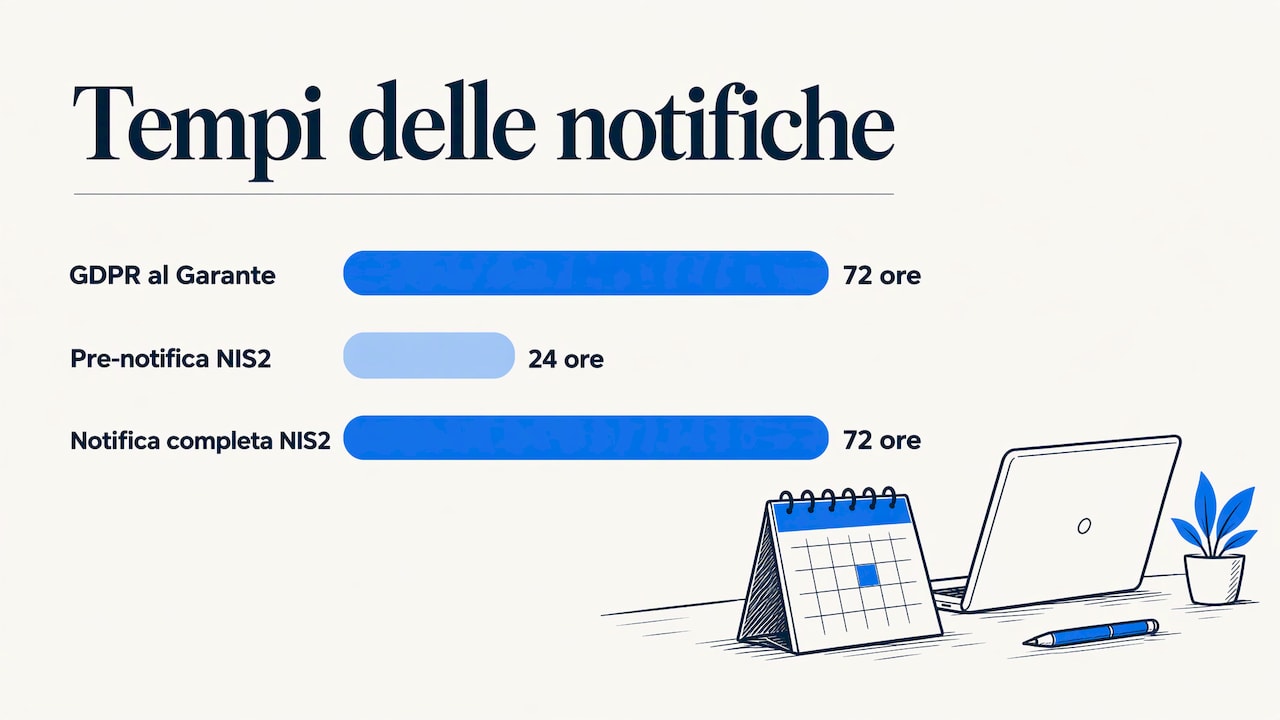
- notify the competent authority within 72 hours—in Italy, the Garante per la protezione dei dati personali—unless a risk to the individuals involved is unlikely;
- inform the affected individuals directly without undue delay if the risk to them is high.
The 72-hour period starts when the company becomes “aware”, meaning when there is a reasonable degree of certainty that an incident has compromised personal data. The notification describes the nature of the breach, the approximate number of people and data records involved, a contact person, the likely consequences and the measures taken. If you don't have all the information within 72 hours, you can provide it in stages.
A practical example: a professional firm discovers that its website, which hosts a booking form collecting names, email addresses and phone numbers, contained a script that copied the submitted data. A risk to individuals is not unlikely, so the firm notifies the Garante within 72 hours and assesses whether to inform its clients, for example because they might receive phishing emails addressed to them by name. If you're unsure whether or how to report a breach, consult your data protection officer, a privacy consultant or a legal adviser.
Companies covered by the European NIS2 cybersecurity rules also have obligations towards CSIRT Italia, the national incident response team: Stefanelli & Stefanelli law firm describes an early warning within 24 hours and a full notification within 72. Most small businesses are outside this scope, but if your company has received communications about it, coordinate the two notifications.
How to prevent it happening again
Protecting a business website doesn't require an IT department. It requires consistent habits and carefully chosen infrastructure.
Don't put off updates. Your CMS, themes and plugins should be updated as soon as a security release is available. Every outdated component is an open door that automated attacks search for across the web, day and night. You don't have to be an interesting target: being vulnerable is enough.
Fewer components, fewer risks. Every installed plugin means more code to maintain. Delete the ones you don't use rather than simply deactivating them.
Passwords and access. Use a different, long password for each service, stored in a password manager. Enable two-step verification wherever available. Give each person their own account, never share login details and revoke access when a collaborator leaves.
Regular, tested backups. A backup you've never tried restoring is a hope, not a plan. Keep several copies from different dates so you can go back to a point before the attack, even if you discover it late.
Protect email on your domain. Many attacks start with a compromised mailbox: whoever controls it can reset your website passwords. A professional email address on your domain, managed with the same care as your website, closes off this route too.
Secure hosting with support you can reach. Hosting is the foundation for everything else. We've explained what it should provide in our guide to secure hosting for businesses; if you're considering a change, you'll find the criteria in our guide on how to choose hosting for business websites. The factor people underestimate until they need it is support: who answers, in what language and how quickly when your site is under attack.
Regular checks. Once a month, open Search Console and check the Security Issues report and user list. Ten minutes could help you spot a problem weeks earlier.
A secure website, with support in Italian
If you're rebuilding after an attack, or simply want to stop worrying about one, ViceSite offers secure hosting, domain registration and custom websites for small businesses, professionals and startups. Clear prices including VAT, no hidden costs, no domain lock-in and a three-step process: choose your service, pay securely and activate it straight away.
Most importantly, when you have a question, you speak to real people on our Italian team, with no call centres and no lost tickets. Request your hosting or explore all the services on ViceSite.
Our perspective
When a business owner tells us “I think my website has been hacked”, the first thing we hear in their voice isn't technical curiosity: it's anxiety. Their website is their calling card, the channel that brings in customers and sometimes the shop's checkout. They don't want to know what a backdoor is; they want to know when everything will be back to normal.
That's why we believe website security for a small business isn't just about technology, but about who is by your side. Secure hosting reduces opportunities for attacks. But when something goes wrong, what matters is being able to speak immediately to someone who explains the situation in plain language, in your language, and tells you what to do now.
That's why at ViceSite we've chosen support from real people, without call centres or frustrating ticket systems, and clear prices including VAT. Business owners already have enough to do: their online presence should be something they can rely on, not another source of stress.
Sofia
Frequently asked questions
How can I tell if my website has been hacked?
Look for redirects to unrelated websites (also try visiting on a smartphone in incognito mode and from Google results), pages or text you didn't write, unknown administrator accounts and security warnings in Google Search. Then open the Security Issues report in Google Search Console. If you find even one warning sign, change your passwords and contact your hosting provider.
How long does it take to remove Google's warning?
It depends on when the site is truly clean and on Google's review. Submit a review request through Search Console only after removing the malicious code and fixing the vulnerability: if Google still finds the problem, the warning stays and the process takes longer.
Do I need to tell my customers if my website has been hacked?
If the attack exposed personal data and the risk to individuals is high, the GDPR requires you to inform those affected without undue delay, as well as notifying the Garante within 72 hours. If no personal data was affected, the obligation does not apply, but it's still worth documenting the incident. If you're unsure, consult your privacy officer or a legal adviser.
Why would anyone attack a small business website?
In most cases, you aren't a deliberately chosen target: automated programs scan the web for sites with outdated components or weak passwords. Attackers use your site to publish spam, redirect visitors, distribute malware or collect data.
Is secure hosting enough to protect my website?
Secure hosting is the foundation, but protection also involves updates, strong passwords, tested backups and regular checks. Having support that responds promptly, in Italian, shortens response times when action is needed.
Sources
- #NoHacked 3.0: How do I know if my site is hacked? (Google Search Central)
- How do I know if my site was hacked? (web.dev)
- Hacked with malware (web.dev)
- Data breaches: a guide for SMEs (EDPB)
- NIS2: obligations to coordinate with the GDPR (Stefanelli & Stefanelli)
Recommended reading
Ready to take your business online?
Search your domain: in two minutes you'll know if it's free and what it costs, VAT included.
Find your domain