Websites · Published on November 24, 2026
Website accessibility: a practical guide for small businesses
ViceSite · Vicedomini Softworks srl
What makes a website accessible, who must comply from 2025, what to check and how to keep your site safe from hackers too. A clear guide for SMEs.
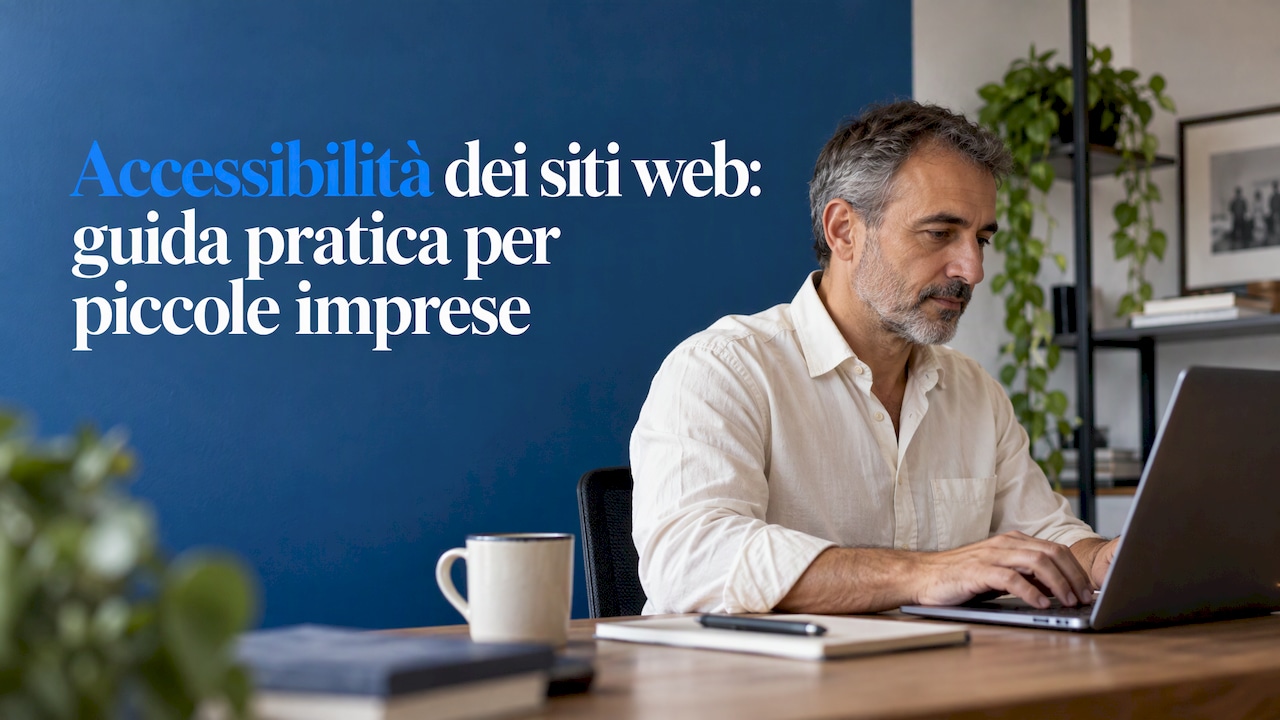
An accessible website can be used by visitors with limited vision or hearing, people who navigate using only a keyboard, or those who find complex text difficult to read. For many Italian businesses, it has also been a legal requirement since 28 June 2025. For a small business, the simplest approach is to build an accessible site from the start, on secure hosting, with a team that speaks your language. Fixing it later, piece by piece, costs more. Here you’ll find what the law says, who is exempt, which checks really matter and how to protect the same site from hackers and data loss.
At a glance
- Accessible means usable by everyone, including people who use a screen reader—software that reads the screen aloud—or navigate without a mouse.
- Since 28 June 2025, Legislative Decree 82/2022 has imposed accessibility requirements on various services, including consumer-facing e-commerce.
- Microenterprises providing services are exempt only if they meet both conditions: fewer than 10 people and annual turnover or a balance sheet total of no more than €2 million.
- Fines range from €5,000 to €40,000. For larger companies, they can reach up to 5% of turnover.
- Accessibility and security go hand in hand: a site that is easy to use but has been hacked is no use to anyone. Updates, backups and secure access are the basics.
Contents
- What it means to have an accessible website
- Who must comply in Italy and who is exempt
- The checks that make a difference
- Statements, inspections and fines
- An accessible website must also be secure
- Our perspective
- Your domain, hosting and custom website in one place
- Frequently asked questions
- Sources
What it means to have an accessible website
Digital accessibility means designing a website so that people with disabilities can use it fully and on equal terms with others. The most common barriers are tangible: pages that do not work with screen readers, sites that cannot be zoomed in on, videos without captions, audio without transcripts and text that is difficult to read.
The international technical reference is WCAG, the guidelines from the W3C, the organisation that sets web standards. They are based on four principles, which AgID (the Agency for Digital Italy, the public body overseeing accessibility) also sets out in its May 2026 document on the regulatory and technical context:
- Perceivable: every piece of content can be seen, heard or read in at least one way. Images have alternative text, and videos have captions.
- Operable: menus, buttons and forms also work with a keyboard, without overly tight time limits.
- Understandable: clear text and error messages that explain what needs fixing.
- Robust: the code is clean and works with different browsers and assistive technologies.
In the same document, AgID treats accessibility as a requirement to design for from the start, not as a compliance task to add at the end. For anyone planning to build or rebuild a site, that is the most useful takeaway: it costs much less to consider it straight away.
This is not an issue affecting just a few people. The European Commission estimates that there are around 100 million people with disabilities in the EU—potential customers an accessible website can reach. Then there are older people, someone with an arm in a cast, or anyone watching a video on a train without sound. An accessible website works better for everyone, and the same is true of a responsive website, which adapts to smartphones and tablets.
Who must comply in Italy and who is exempt
The legislation affecting businesses is Legislative Decree 82/2022, which transposes the European Accessibility Act (EAA), the European directive on the accessibility of products and services. Since 28 June 2025, it has set accessibility requirements for a range of products and services, including e-commerce services.
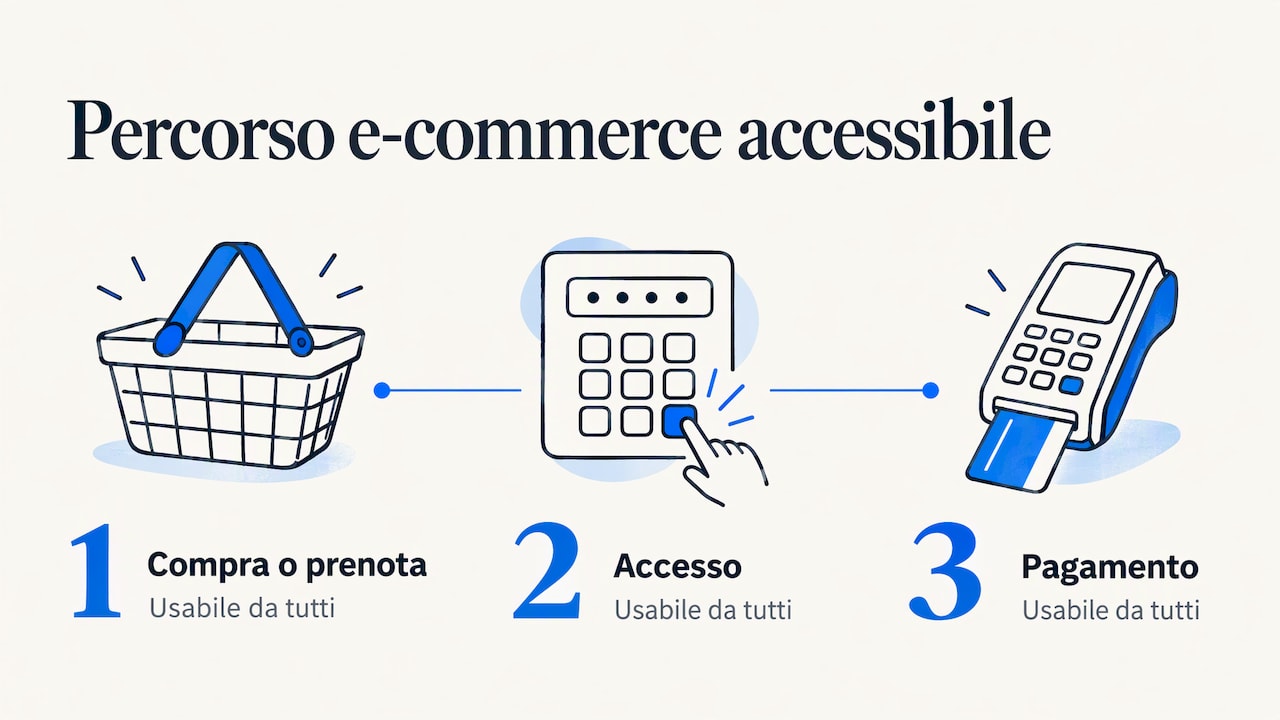
In practice, if a consumer can buy, book or pay on your website, you almost certainly fall within its scope. For an e-commerce site, the purchasing journey, login and payment process matter most. They must be usable by everyone.
The exemption for microenterprises
The AgID Guidelines on accessibility requirements for services, updated in March 2026, define a microenterprise as a business with fewer than 10 people and annual turnover or a balance sheet total not exceeding €2 million. Microenterprises providing services are exempt from the decree’s obligations.
Pay attention to the word “and”: both conditions must be met. A business with 8 employees and €3 million in turnover is not a microenterprise. If your business is part of a group, the figures must also take linked companies into account: this is where it is worth speaking to your accountant.
| Your situation | Accessibility requirement (Legislative Decree 82/2022) |
|---|---|
| E-commerce or online services for consumers, 10 people or more | Yes |
| E-commerce for consumers, fewer than 10 people but turnover above €2 million | Yes |
| Services provided by a microenterprise (both conditions met) | Exempt |
| Brochure website with no sales or consumer services | Generally outside the decree’s scope, but accessibility remains good practice |
| Content published before 28 June 2025 and no longer updated | Excluded from the decree |
The decree also excludes certain content: videos and office documents published before 28 June 2025, third-party content the business does not control, and archives not updated after that date.
There is another provision too. According to AgID’s official FAQs, the requirements apply where compliance does not require a fundamental alteration to the service or impose a disproportionate burden. However, anyone invoking this exception must document their assessment and, for services, notify AgID. Simply saying it costs too much is not enough.
Being exempt does not mean accessibility is irrelevant to you. A professional or startup with an accessible website loses fewer leads and presents a more professional image. That is why it is worth treating accessibility as part of a well-built website, not as a bureaucratic box to tick.
The checks that make a difference
An accessible website comes from many small, testable decisions. These are the points a good project checks, using the values set out in WCAG 2.1 in the W3C’s Italian translation.
- Colour contrast. Normal text must have a contrast ratio of at least 4.5:1 against its background, and large text at least 3:1. The classic mistake is light grey on white, chosen because it looks “elegant”, but unreadable on a smartphone in sunlight.
- Keyboard navigation. You must be able to reach every menu, link and button using the Tab key, in a logical order and without getting trapped in a window. Your current position must always be visible. Drop-down menus and cookie pop-ups are often the source of problems.
- Alternative text for images. Every image conveying information has a short description that a screen reader reads aloud. Purely decorative images are ignored.
- Understandable forms. Every field has an associated label. Errors explain what to fix: “Enter a valid email address”, rather than just a red border.
- Zoom and reflow. The page must support 200% zoom and adapt to a screen 320 pixels wide without horizontal scrolling. This is where accessibility and responsive design overlap.
- Video and audio. Captions for videos, transcripts for podcasts and audio.
- Headings and structure. Headings arranged in a hierarchy and links that tell users where they lead. “View pricing” works; “click here” does not.
Testing happens in two stages. First come automated tools, which quickly identify contrast issues and missing attributes. Then come manual tests with a keyboard and screen reader, because many problems can only be spotted by a person. A widget added over the page does not fix the code underneath: accessibility is built into the website.
That is why the best time to address it is when designing the site. A custom-built turnkey website lets you incorporate these requirements into the design and content from the start, instead of trying to catch up after launch.
Statements, inspections and fines
For public administrations and very large companies, the accessibility statement required by the Stanca Law (Law 4/2004) has existed for years. For digital service providers, the AgID Guidelines clarify that, from 28 June 2025, those rules on guidelines, disproportionate burden and statements no longer apply. Instead, Legislative Decree 82/2022 requires them to publish information in an accessible format explaining how the service meets the requirements, and to keep it available for as long as the service is active. This is usually done on a dedicated page linked from the footer.
AgID oversees services and can also launch inspections following a report. According to the official FAQs, administrative fines range from €5,000 to €40,000. The amount depends on the severity of the non-compliance, the number of services involved and the users affected. For providers with average turnover above €500 million over the previous three years, the fine can reach up to 5% of turnover. If you are unsure how the rules apply to your business, your lawyer or adviser is the right person to provide a legal assessment.
An accessible website must also be secure
People looking into how to make their website accessible often also wonder how to protect it. They are right to do so: a site that is easy to use but infected, slow or offline is accessible to no one.
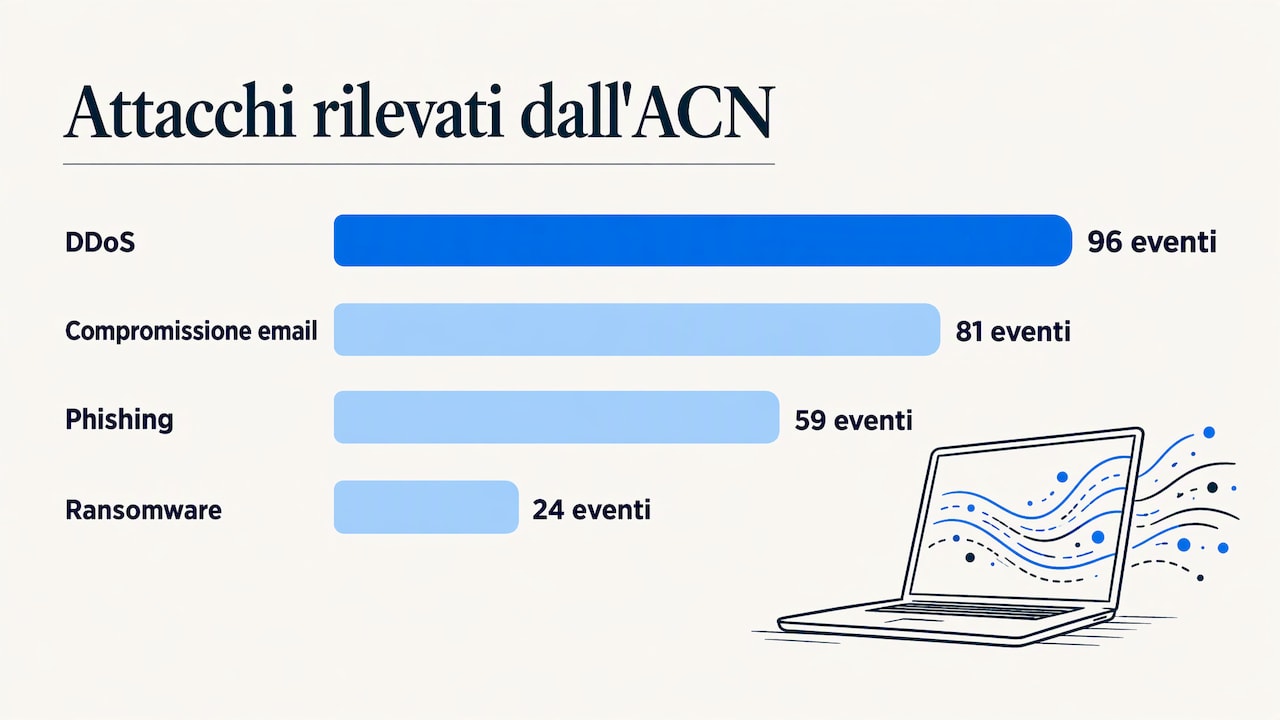
The latest figures from ACN (Italy’s National Cybersecurity Agency) show where attacks are happening. In the September 2026 Operational Summary, the most frequent incidents were DDoS attacks (96), which take a website down by flooding it with requests, followed by compromised email accounts (81), phishing (59) and ransomware (24). Defacement—unauthorised changes to a website’s pages—was up 209%. These are monthly figures, and ACN publishes a new report each month, but the underlying picture changes little: websites that are not kept up to date are hit hardest.
The measures ACN recommends to SMEs are simple and effective:
- Regular updates. CMS software, plugins and themes should be updated as soon as a fix is released. The ACN guidance for SME IT professionals recommends automatic updates from trusted sources.
- Secure access. Use different passwords for each account and, wherever possible, multi-factor authentication: a code from your phone is required in addition to your password. This is one of the recommendations in the ACN cybersecurity guide for SMEs.
- Reliable backups. Make regular, encrypted copies stored separately from the server, both locally and in the cloud. Test them with a full restore, because an untested backup can let you down just when you need it.
- Watch out for phishing. Many websites are compromised because someone entered a password on a fake page. Always verify an “urgent” email from your hosting provider or bank.
- Encrypted connections. Use HTTPS on every page, with automatic certificate renewal.
Much of this work happens at the hosting level: server updates, site isolation, backups and protection against attacks. To understand what to expect, read our guide to secure hosting for businesses. For the work that remains on the site itself, see our guide to website maintenance. If you think your site has already been compromised, start with what to do when your website has been hacked.
Our perspective
When we discuss accessibility with a small business owner, the first reaction is almost always the same: another technical requirement, more jargon, more costs. We understand the concern, but we think that is the wrong way to look at it.
An accessible website is, first and foremost, a clear website: readable text, buttons that are easy to find and forms that explain what to do. These are the same things that encourage a customer to call rather than head back to Google. The key is to address them when the site is built, not after a complaint.
That is why we believe in a simple approach: a domain you own, with no lock-in, secure hosting and a custom website, with clear prices including VAT. Above all, real people who answer you in Italian, without call centres or support tickets that get lost. When you have a question about a requirement or an update, you should be able to ask someone who answers in plain language.
Sofia
Your domain, hosting and custom website in one place
If you are thinking of rebuilding your website or launching a new one, the simplest approach is to start with a complete foundation. With Vicesite, you choose your service, pay securely and get immediate activation: a domain, secure hosting and a custom website, with clear prices, VAT included and no hidden costs.
Support comes from real people who speak Italian. You can tell the team what you need, including accessibility, without having to translate everything into technical terms. Explore the services on Vicesite or, if you only need a reliable home for your website, request hosting.
Frequently asked questions
Does my brochure website legally have to be accessible?
Legislative Decree 82/2022 mainly covers consumer-facing services, such as e-commerce, bookings and online payments. A purely informational small business website generally falls outside its scope. Making it accessible is still a useful choice: more people can use it, and you will be ready if you add online sales in the future.
I’m a self-employed professional with an Italian VAT number: am I exempt?
If you provide services, have fewer than 10 people and annual turnover or a balance sheet total of no more than €2 million, you meet the definition of a microenterprise and qualify for the exemption. Both conditions must apply. If you are unsure—for example, if you are part of a group—speak to your accountant.
Is installing an accessibility plugin or widget enough?
No. A widget can add controls such as text enlargement, but it does not fix the code, heading structure, form labels or alternative text. Accessibility comes from building the website properly, and it is easier to do that at the design stage.
How often should I check my website’s security?
Updates should be installed as soon as they are released, ideally automatically, and backups should be made regularly, with an occasional full restore test. Whenever you add a new section, plugin or form, it is also worth checking that the site remains accessible and works properly.
Sources
- AgID Academy, Accessibility: regulatory context and technical aspects (May 2026)
- AgID, Guidelines on accessibility requirements for services (March 2026)
- AgID, Frequently asked questions about digital accessibility
- Gazzetta Ufficiale, Legislative Decree No. 82 of 27 May 2022
- W3C, Web Content Accessibility Guidelines (WCAG) 2.1, Italian translation
- European Commission, Web accessibility
- web.dev, What digital accessibility is and why it matters
- ACN, Cybersecurity for SMEs
- ACN, Guidance for SME IT professionals
- Cybersecurity360, ACN Operational Summary for September 2026
Recommended reading
Ready to take your business online?
Search your domain: in two minutes you'll know if it's free and what it costs, VAT included.
Find your domain