
Email · Published on November 17, 2026
Custom email address: what it is and how to set it up
ViceSite · Vicedomini Softworks srl
What a custom email address is, why it builds credibility for your business, what you need to set it up and which mistakes to avoid, step by step.

A custom email address uses your business name after the @, such as info@studiorossi.it, rather than the name of a free email service. To set one up, you need three things: a domain registered in your name, an email service linked to that domain and a few technical settings that help your messages reach the inbox rather than the spam folder. You can put these together yourself, combining different providers and control panels. For a small business, though, the simplest route is to entrust your domain and email to a single provider that speaks Italian and sets everything up for you. That is what we do at ViceSite: domain registration and email account management, with clear prices including VAT.
At a glance
- A custom email address uses your domain (name@yourbusiness.it) and tells customers who you are before they even open the message.
- You need a domain, an email service and the correct DNS records: MX to receive messages, and SPF, DKIM and DMARC to identify you as a trusted sender.
- The domain is the real asset: as long as it stays registered in your name, the addresses remain yours even when you change providers or team members.
- The most common mistakes are technical: missing records, a domain registered to a third party, or a single mailbox shared by everyone.
- With one provider for your domain and email, plus support in Italian, setup takes just a few steps without having to learn the technical jargon.
Contents
- What is a custom email address?
- Why it matters for a small business
- What you need to set it up
- How to set up your email account, step by step
- Which addresses to create
- Mistakes to avoid
- How much a custom email account costs
- Our perspective
- Domain and email with ViceSite
- Frequently asked questions
- Sources
What is a custom email address?
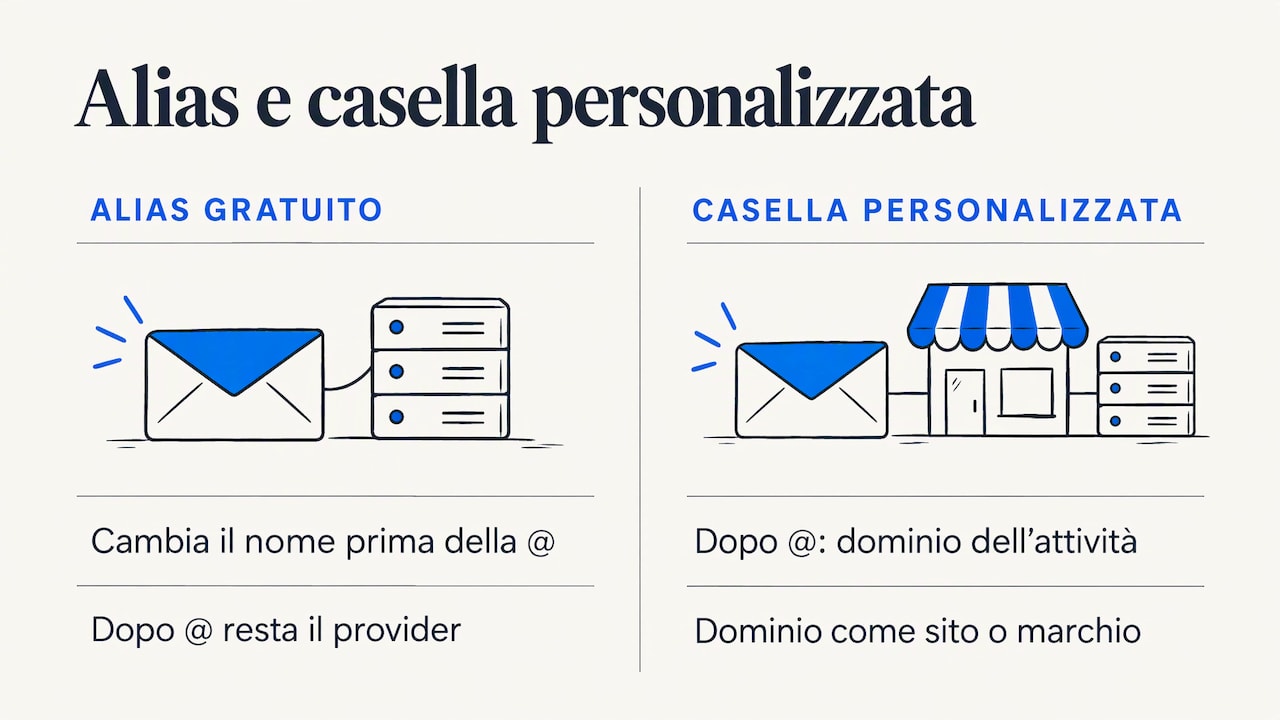
Every email address has two parts separated by the @. On the left is the mailbox name (mario, info, accounts). On the right is the domain, the name that identifies who manages the email. With a free address, the domain belongs to the service that provides it. With a custom email account, the domain is yours: the same name as your website, your sign and your brand.
The domain is the address you register for your business, for example yourbusiness.it. In Italy, .it domains are managed by Registro .it, the organisation that maintains the registry of Italian domain names. Once registered, that name can be used both for your website (www.yourbusiness.it) and for all the email accounts you want to create.
Some people confuse a custom email account with an alias, which is a second address that forwards messages to an existing mailbox. An alias on a free service only changes the part to the left of the @: the provider's name remains on the right. To put your business name after the @, a domain is essential. There is no shortcut.
Why it matters for a small business
Credibility from the first message
A quote sent from info@idraulicabianchi.it and one sent from idraulicabianchi82@ a free email service may contain the same figures, but they do not make the same impression. The first suggests an established business with a registered name and a website. The second looks like a personal address also used for work. For a professional or startup trying to earn the trust of customers who do not know them yet, that difference matters before the message is even read.
Brand consistency
Every outgoing email is a small business card. If your email domain matches your website domain, customers immediately connect the two channels and remember the name more easily. It is the same principle you will find in our guide to online branding for small businesses: a consistent identity across every point of contact makes your business more recognisable.
Control and continuity
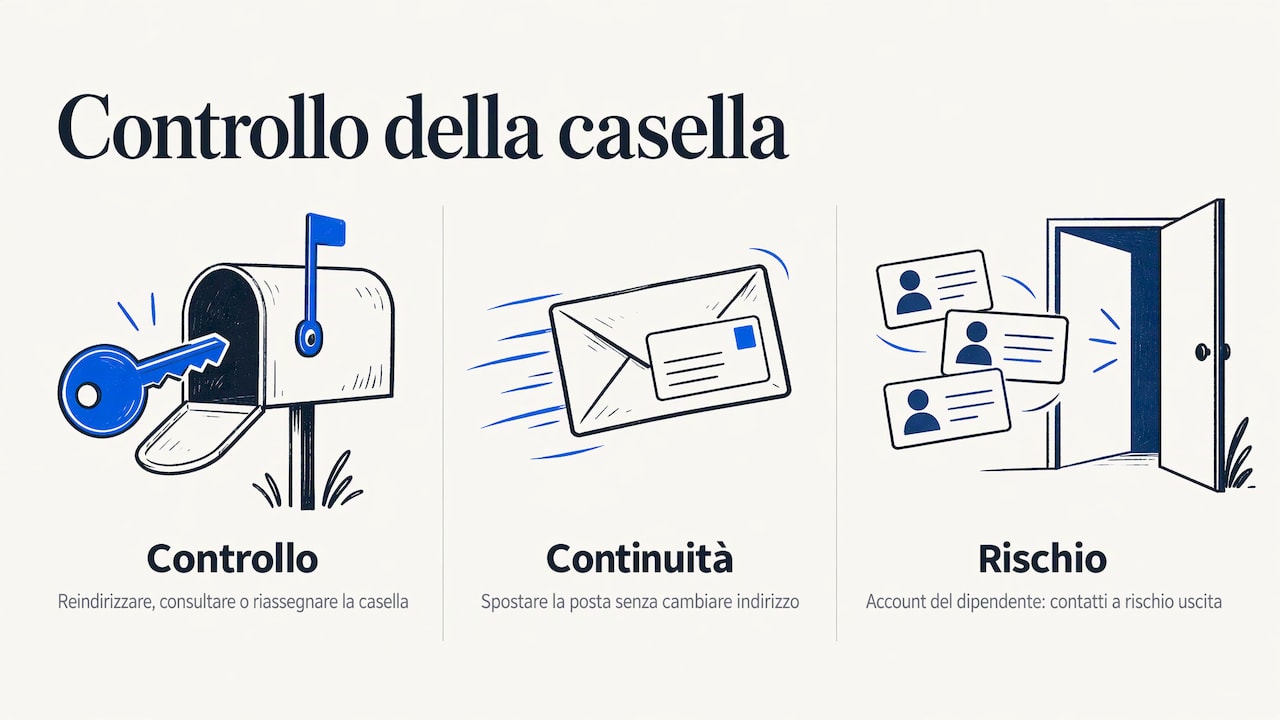
When a team member leaves the company, the mailbox mario.rossi@yourbusiness.it remains yours: you can redirect it, check its history or assign it to their replacement. With a free account opened in an employee's name, customer contacts risk leaving the business along with them. The same applies to providers: if the domain is registered in your name, you can move your email without changing your address or notifying hundreds of contacts.
Organised communication
With your own domain, you can create different addresses for different purposes: one for orders, one for accounts and one for each team member. Enquiries arrive already sorted, and nobody misses a message buried in a single shared inbox.
What you need to set it up
There are three elements, and they are worth understanding even if someone else handles them, because they determine whether your email actually works.
1. The domain
This is the name after the @. Choose something short, easy to spell out over the phone and free of unnecessary hyphens. For a business operating in Italy, .it is the most natural choice. Under the rules of Registro .it, .it domains are reserved for people and organisations with citizenship, residence or a registered office in eligible European countries, so any Italian business can register one. The key thing to check is the registrant: the domain must be in your name or your company's name, not that of the consultant who registered it.
2. The email service
This is the space where messages are received, stored and sent. What matters here is the storage available per mailbox, the ability to read email on computers and smartphones, connection security and how easily you can add or remove accounts. Email and websites often run on the same hosting service: if you want to understand how it works, our guide to what web hosting is explains it without the jargon.
3. DNS records
DNS is the public set of instructions that tells the internet where to find a domain's website and email. Email needs four entries:
- MX: specifies which server should receive messages addressed to your domain. Without correct MX records, you receive nothing.
- SPF: a list of servers authorised to send email on behalf of your domain, defined in the technical standard RFC 7208.
- DKIM: a digital signature applied to every outgoing message, allowing the recipient to verify that it has not been altered, as described in RFC 6376.
- DMARC: a rule that tells recipients' servers what to do with messages that use your domain without passing SPF and DKIM checks, according to RFC 7489.
SPF, DKIM and DMARC are your email's ID card. When they are missing or written incorrectly, your customers' providers cannot verify that the message really comes from you and tend to move it to spam. They also protect your name by making it harder for scammers to send emails that appear to come from you.
How to set up your email account, step by step
-
Choose your domain name. Check that it is available and matches the name customers use to find you. Common pitfalls: long names, ambiguous spellings and hyphens that need explaining over the phone. With us, you choose your domain during checkout and, if you are unsure between two names, you can discuss it in Italian with someone on our team.
-
Register the domain in your name. Common pitfall: letting a consultant or relative register it in their own name, only to discover this when you need to transfer it. With us, the domain is yours, with no lock-in: this is one of the things we care about most.
-
Activate the email service. Decide how many mailboxes you need and how much storage each should have. Our process has three steps: choose the service, pay securely and activation is immediate.
-
Configure the DNS records. This is where people setting things up themselves most often get stuck: values copied with an extra character, two conflicting SPF records or a forgotten DKIM setting. When we manage your domain and email accounts, you do not have to enter these settings yourself in an unfamiliar control panel.
-
Create your addresses. Start with the ones you will actually use: a general address, one per person and, if needed, one per function (see the table below).
-
Connect your email to your devices. Set up your computer and smartphone to read and send messages from the new account. If a setting is not working, our support comes from real people, with no call centres and no tickets passed from one person to another.
-
Run a complete test. Send a message to an external address, reply, and check that it does not end up in spam and that the signature is correct. Then update your website, business cards, social profiles and invoices with the new address.
Which addresses to create
You do not need dozens of mailboxes. You need every message to reach the right person straight away.
| Address | Purpose | Who it suits |
|---|---|---|
| info@yourbusiness.it | General contact for your website, business cards and social media | All businesses |
| firstname.lastname@yourbusiness.it | Direct contact with customers and suppliers | Every team member who communicates externally |
| accounts@yourbusiness.it | Invoices, payments and messages from your accountant | Businesses with several team members |
| orders@yourbusiness.it | Purchase enquiries and confirmations | Shops, workshops and online stores |
| quotes@yourbusiness.it | Quote requests from your website | Tradespeople, professional practices and agencies |
A practical tip: role-based addresses (info, accounts, orders) can also be aliases that forward to one or more individual mailboxes. That way, you avoid multiplying the accounts you need to manage, while customers always see a clear address and the function stays in place when staff change.
Mistakes to avoid
- A domain registered to someone else. This is the most costly mistake, because it tends to be discovered late. Always check the registrant when registering the domain.
- One mailbox for everyone. Shared passwords, messages read by multiple people and no record of who replied. One mailbox per person plus a few role-based aliases is a better approach.
- Missing SPF, DKIM or DMARC records. Messages go out but land in spam, and often nobody notices until a customer says they never received the quote.
- Addresses that are hard to spell out. Abbreviations, numbers and double letters: any ambiguity over the phone can mean a lost email.
- A forgotten renewal. If the domain expires, your website and email stop working at the same time. Keep your payment details up to date and make sure you know who to contact.
- Different providers for every part. Domain in one place, email in another, website in a third: when something breaks, everyone blames someone else and you are stuck in the middle.
- Weak passwords. A hacked business mailbox can be used to scam your customers in your name. Use a long, different password for each account.
How much a custom email account costs
The cost depends on three items: the domain, which renews each year; the email service, which varies with the number of mailboxes and storage space; and any setup and support fees. When comparing offers, look at three things beyond the headline price:
- VAT included or excluded. A price without VAT can appear 22% lower.
- Renewal price. Some offers are discounted only for the first year.
- Exit costs. What happens if you want to transfer the domain one day? Are there restrictions or penalties?
We publish clear prices, including VAT and with no hidden costs, and we do not lock you in with your domain. If you are also considering a website, our guide to choosing hosting for business websites helps you understand what is worth keeping under one roof.
Our perspective
Every day, we talk to small business owners, professionals and startup founders who want something simple: an email address with their business name that just works. They do not want to learn what an MX record is, and they should not have to.
That is why we believe your domain, email and website should be with a single provider that responds in Italian. When the pieces are scattered across different providers, every small problem becomes an investigation. When they are all in one place, someone can see the full picture and put things right.
There is another principle we will not compromise on: the domain is yours. It is your business name, and it should never become the reason you stay with a provider. That is why we place no restrictions on your domain and publish prices including VAT, so you know what you are paying from the start.
A custom email account is not just a technical detail. It is how your business presents itself every time it writes to someone. It deserves to be done properly, without the stress.
Sofia
Domain and email with ViceSite
If you want an address with your business name without dealing with technical control panels, ViceSite lets you register your domain and activate your email accounts in three steps: choose the service, pay securely and activation is immediate.
Clear prices including VAT, no domain lock-in and an Italian team that supports you directly, with no call centres. If you also need a website, we will build it to your requirements on the same domain. Explore domains, hosting and custom websites or, if you already have a domain, you can request hosting. To learn more about the connection between your domain name and email, read our guide to domains with email.
Frequently asked questions
Can I have a custom email address without a domain?
No, not if you want your business name after the @. An alias on a free service only changes the part before the @, while the domain remains the provider's. To have name@yourbusiness.it, you need to register the domain yourbusiness.it.
How long does it take to activate the email account?
With us, service activation is immediate after payment. Changes to DNS records can take a little time to propagate across the internet, usually a few hours. After that, you can start sending and receiving from your new address.
Can I use the same domain for my website and email?
Yes, and it is the most organised solution: www.yourbusiness.it for the website and name@yourbusiness.it for email. Customers immediately connect the two channels, and you manage just one name, one renewal and one provider.
How many mailboxes do I need?
Usually one for each person who communicates externally, plus a few role-based addresses such as info or accounts. Role-based addresses can be aliases that forward to individual mailboxes, so you do not multiply the number of accounts. You can start with a few mailboxes and add more as your business grows.
Why do my emails end up in spam?
The most common cause is missing or incorrectly configured SPF, DKIM or DMARC records: recipients' servers cannot verify that the message really comes from your domain. When we manage your domain and email, we take care of these settings, and if something is not right, you can speak directly with our team.
Sources
- Registro .it, the Italian domain registry
- RFC 7208: Sender Policy Framework (SPF)
- RFC 6376: DomainKeys Identified Mail (DKIM)
- RFC 7489: DMARC
Recommended
Ready to take your business online?
Search your domain: in two minutes you'll know if it's free and what it costs, VAT included.
Find your domain